Improved order monitoring
⋆˙⟡
UP42 is a geospatial data provider, which is essentially imagery of the earth. They can do that by purchasing existing imagery (catalog) or request new imagery (tasking)
Our tasking customers can request new imagery collected based on their specific needs known as “tasking”. After creating a new ordering flow we decided to watch and wait. We discovered a key pain point: users struggled to track orders in the console and we’re having to rely on an API to do so.
After successful implementation we saw 77% increase in Console Order Monitoring, which is was a huge win.
Product Designer, UP42
Role & Responsibilities
As the only Senior Product Designer on the project I worked end to end. My role was to validate the problem right through to design, validation and tracking. I was present for handover to engineering as well as watching and waiting to see the success metrics. I worked over a period of two and half sprints with a Product Manager and a Senior Frontend Engineer.
Problem definition
We were able to discover this issues after we launched another feature. After launching another feature we were in our watching and waiting phase, it was during this time that we started to get insights from users about how hard it was to monitor their orders using the console.
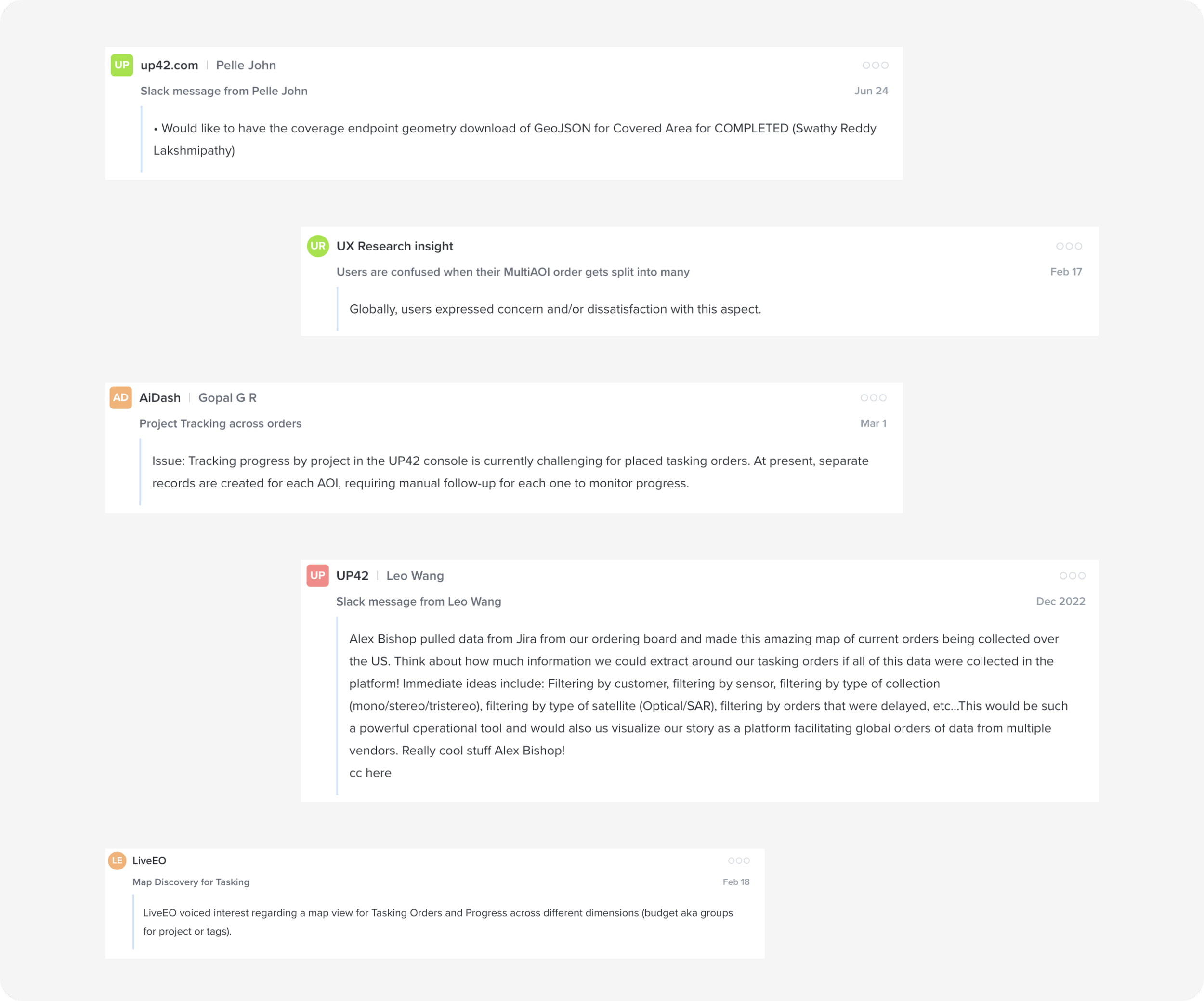
Research Summary
My research activities were;
Interviews with customer to better understand the issues users were having with Order Monitoring.
Dive into Mixpanel to see if there is any data to validate these issues
Synthesis these insight into actionable design requirements
After synthesising the research I was able to define the following issues for users;
User has to select the data product for each scene separately within the same collection even if all orders would be for the same product
It’s not clear which scenes are already in the cart. After scenes have been added the previews are not kept on the map
Scenes in the cart have no hover functionality to display previews on the map. User has to click on the preview which also changes the list view
Goal
I developed this Experience Design Metric;
“If we do a great job designing, implementing and delivering order tracking, we will improve a monitor’s life by seeing less need to track orders outside the order tab”
Key Design Decisions
The key insights developed as “A customer needs to be able to;
see all AOIs for a project on the map at the same time, so that I can visually understand the AOIs status”
see the percentage progress of a project on a map”
download the current coverage of an order”
execute order actions ”
Final Designs
Validation & Outcomes
When looking at outcomes we reminded ourselves of out Experience Design Metric
“If we do a great job designing, implementing and delivering order tracking, we will improve a monitor’s life by seeing less need to track orders outside the order tab”
After some time of ‘waiting and watching’ we were able to see a 77% increase (yoy) in Order Monitoring from the Console which was considered a success for us.
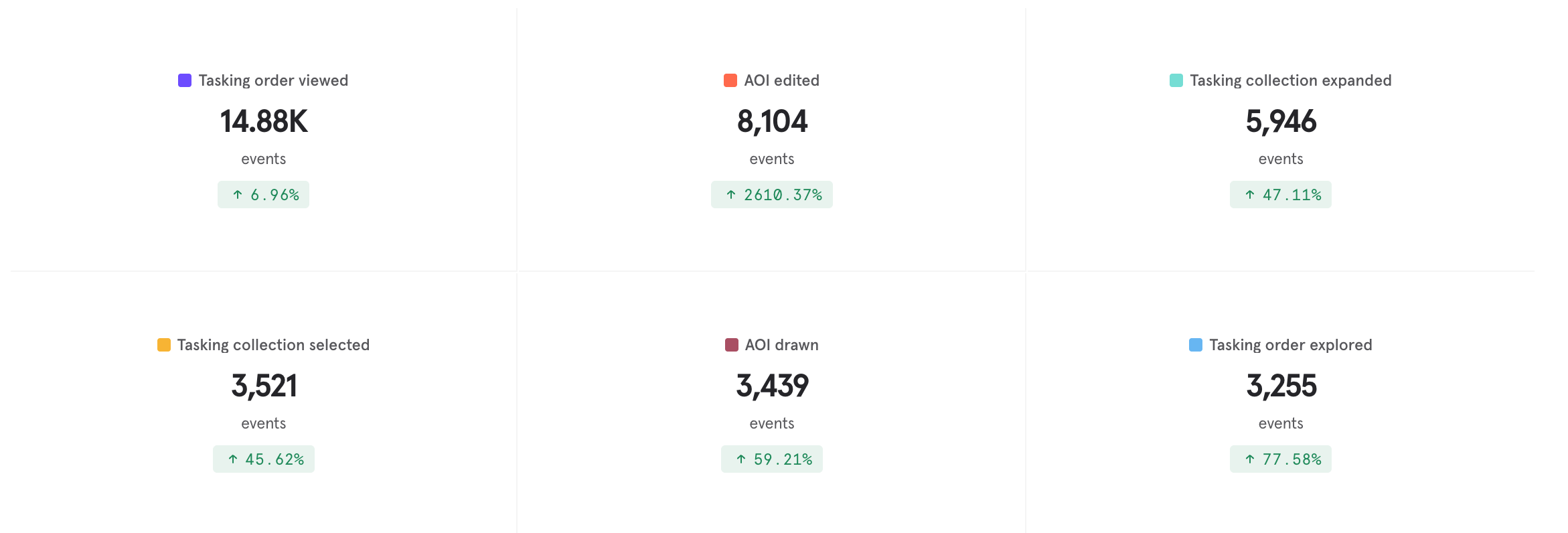
Final Reflection
My theory is that orders from all domains need to be rolled into one view.
My communication works best when it is proactive, I had many moments in this project that could have slipped through the gaps had I not been proactive about setting check ins.
The UI of the project required a lot of set up using lots of components that when setting up is hard work but allows for smoother flows later on.